
How To Use Slider In AtlasAR Pro WordPress 3D Model Viewer Plugin?
Steps:
- First go to your post type(either post,page,product)
- Then go to post metabox
- Click the Slider menu
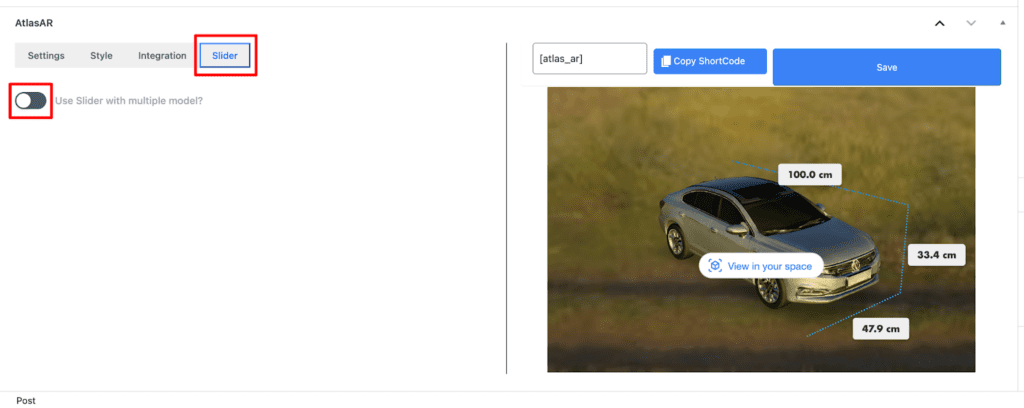
- Turn on the Slider
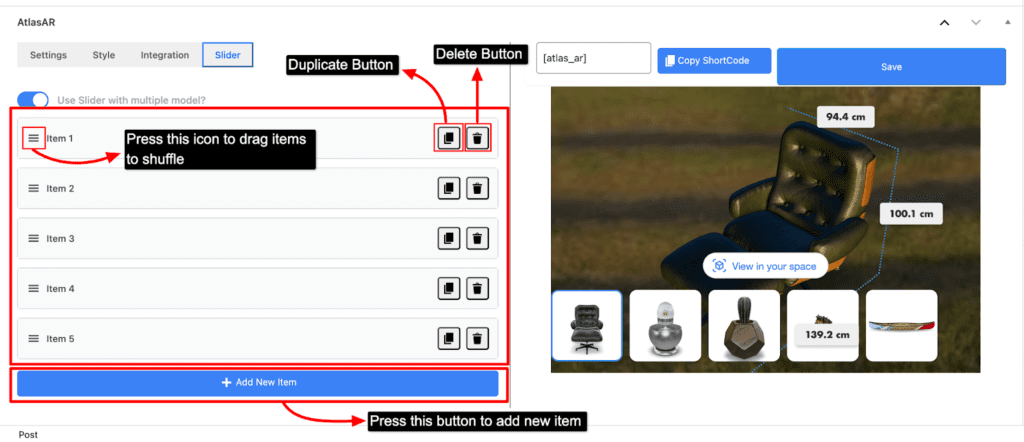
- By default you will see 5 pre generated items
- You can delete all the items by pressing the delete button
- You can shuffle the items by dragging the items with the help of drag icon
- You can also duplicate an item by pressing the duplicate button
- Lastly, there is also an “Add new item” button where you can add a new item on your item list to show on slider
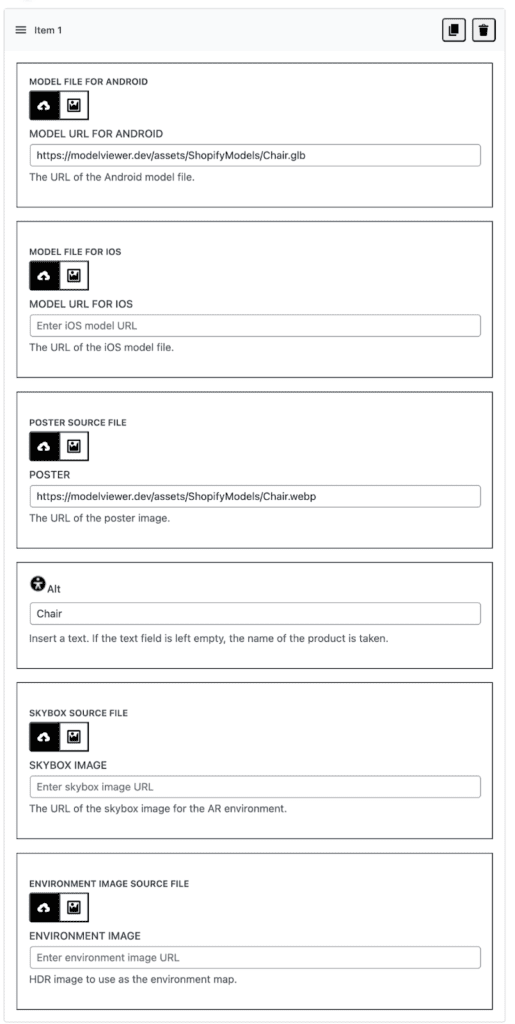
- You can customize your item by simply clicking on the item. It has similar options just like the “Settings” menu.
- After adding the item you can see those model on your right side of the screen where model gets loaded
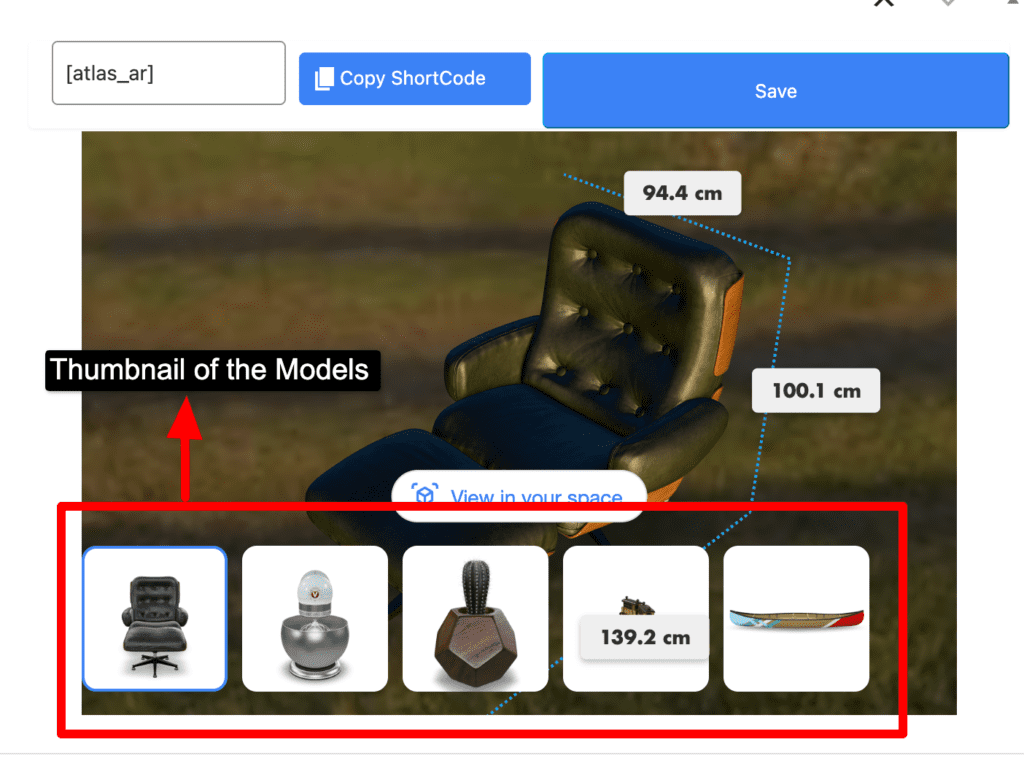
- And save it