
How to generate a 3D Model by AtlasAR plugin?
First go to the AtlasAR admin dashboard. Then select the “Integration Tab”. Currently, we support only Tripo 3D AI . So, select the Tripo 3D. Get your API key from here https://www.tripo3d.ai/api . How to generate API key(Documentation): https://platform.tripo3d.ai/docs/quick-start
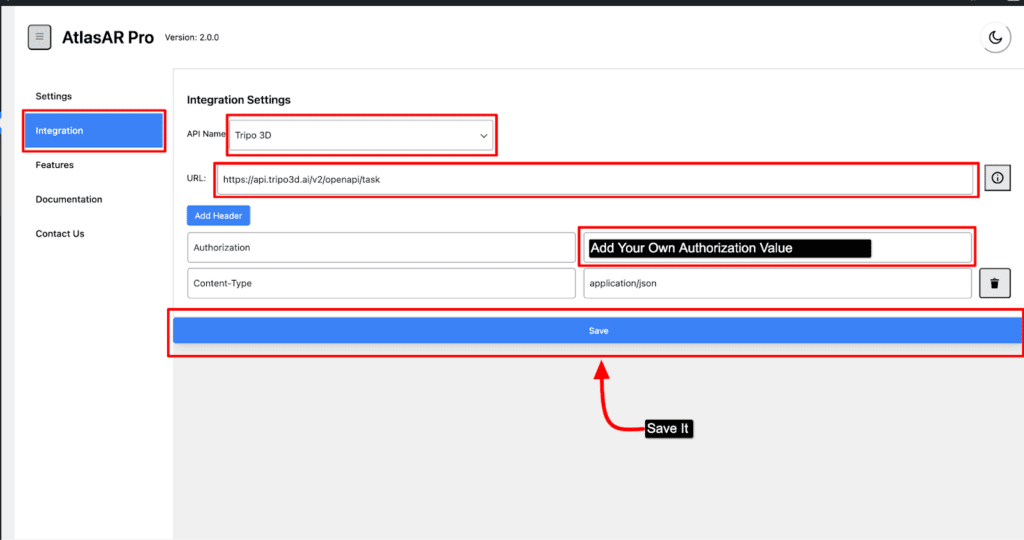
Lastly add an authorization value for your API and save it.
Now go to your post type(either post,page,product). Now edit your post metabox
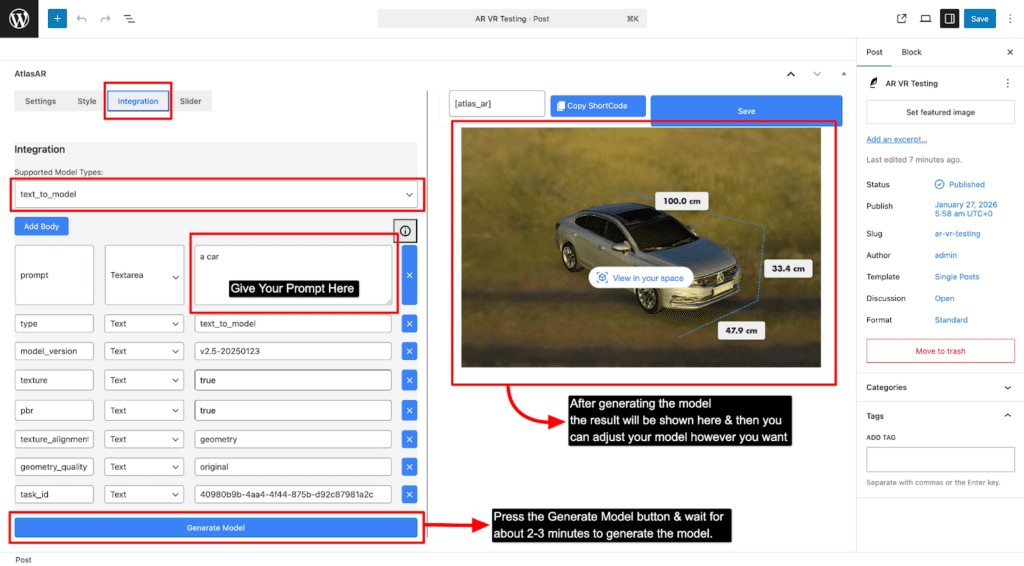
Firstly, select the Integration menu then Select your model type. Then give your desired prompt to generate a model. And lastly press the save button.