
How To Use Hotspots In AtlasAR Pro WordPress 3D Model Viewer Plugin?
Steps:
- First go to your post
- Select Hotspots accordion on settings menu
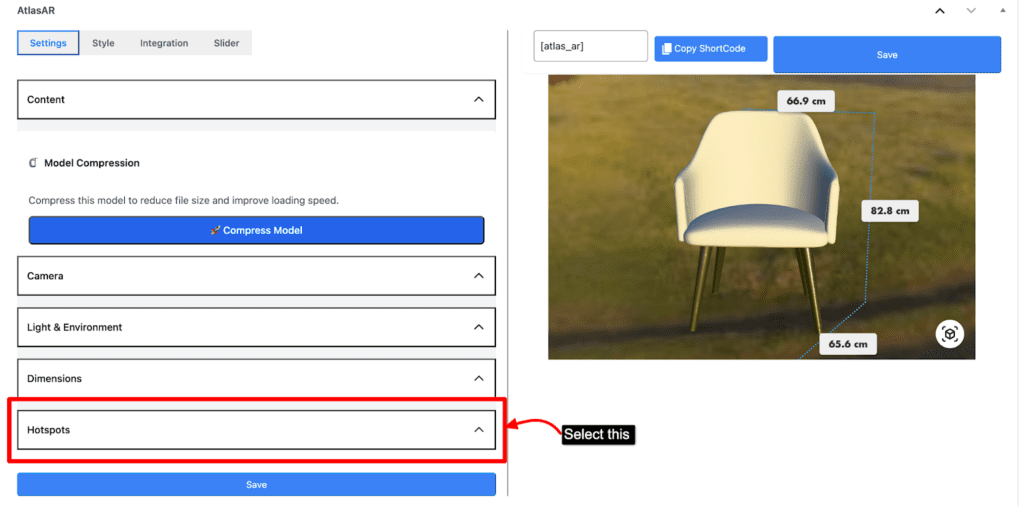
- By default there will be no hotspots
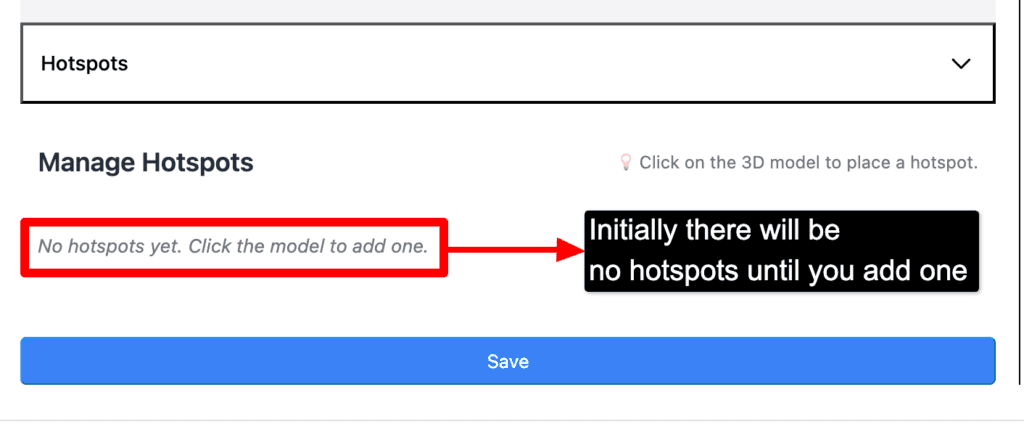
- First decide in which place you want to add the hotspots
- After deciding the place click on that place to add the hotspots
- Please make sure you add the hotspots on the model exactly
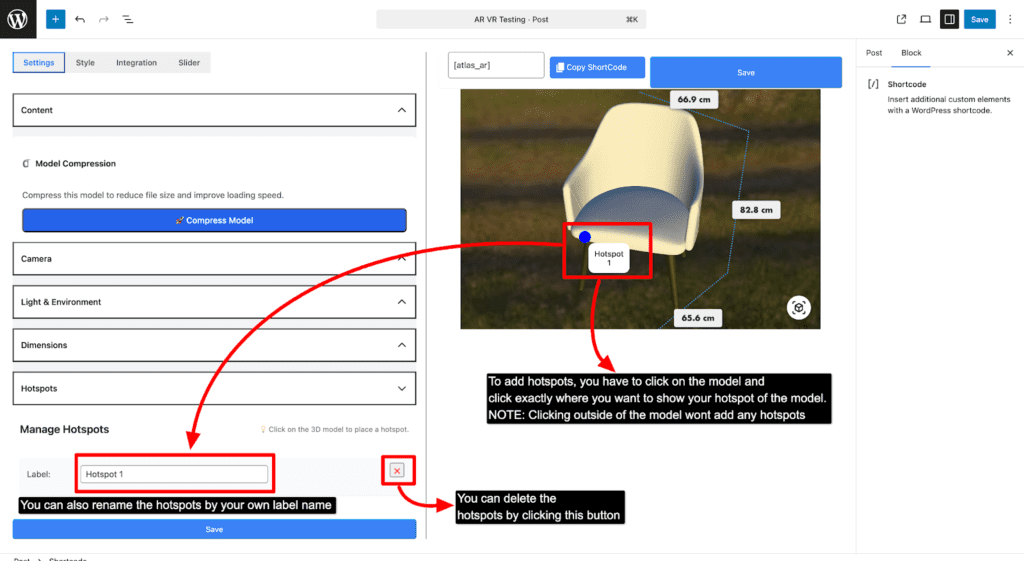
- NOTE: You won’t be able to add hotspots outside of the model
- Then save it to see the end result