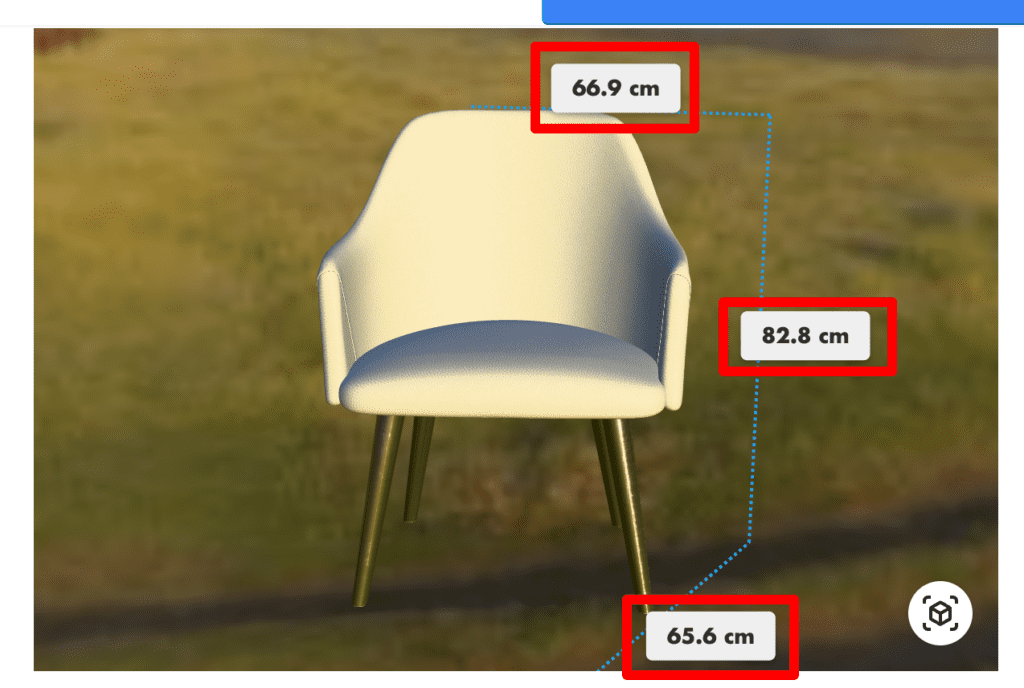
How To Use Dimensions In AtlasAR Pro WordPress 3D Model Viewer Plugin?
Steps:
- First go to your post
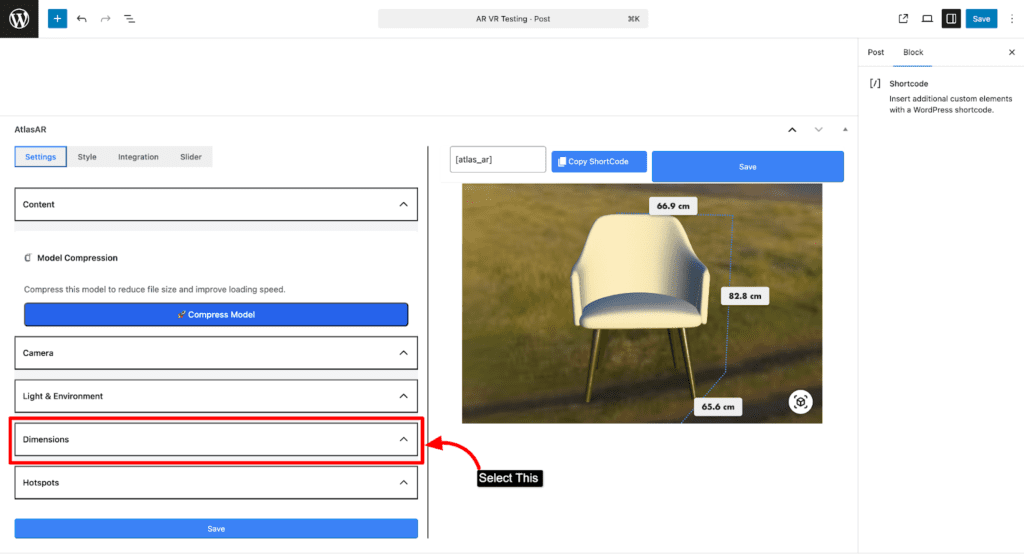
- Select Dimensions accordion on settings menu
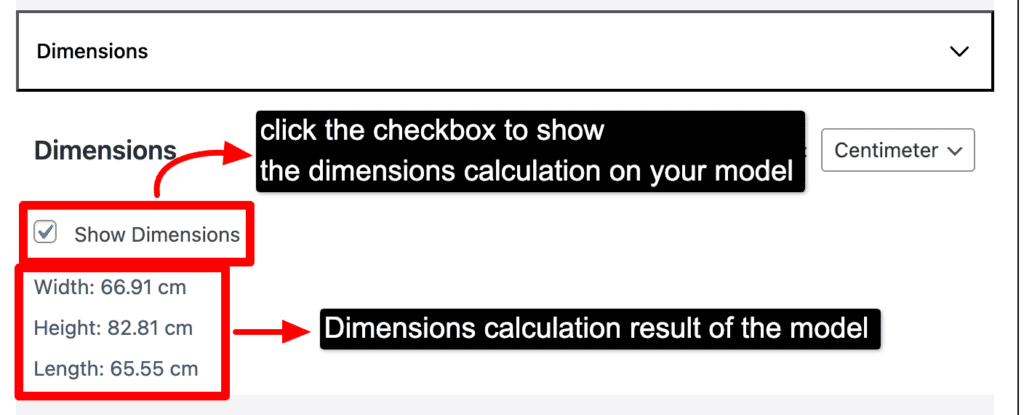
- Select the checkbox to show the dimensions
- Uncheck the box if you don’t want to show the dimensions
- You can also select the Units as you want
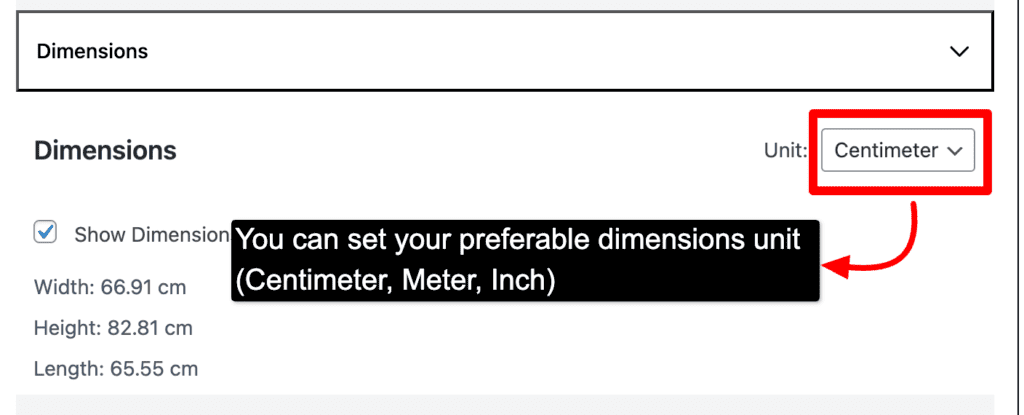
- For Units there are three units options such as (Centimeter, Meter, Inch)
- You can choose either one of them to show on the dimensions
- Then save it to see the end result