
How to generate a 3D Model by AtlasAR plugin?
Step 01:
- First go to the AtlasAR admin dashboard
- Then select the “Integration Tab”
- Currently, we support only Tripo 3D AI
- So, select the Tripo 3D
- Get your API key from here https://www.tripo3d.ai/api
- How to generate API key(Documentation): https://platform.tripo3d.ai/docs/quick-start
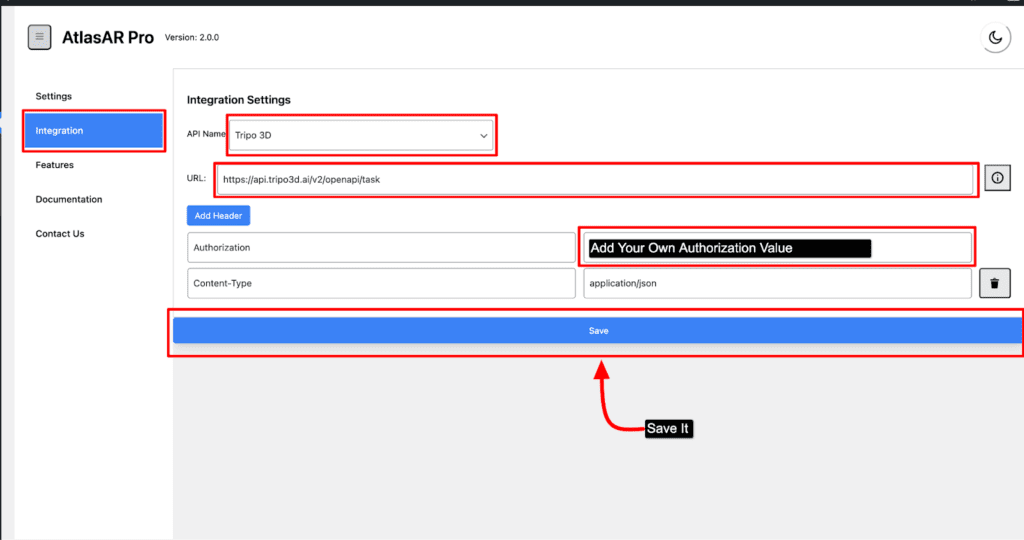
- Lastly add a authorization value for your API
- And save it.
Step 02:
- Go to your post type(either post,page,product)
- Now edit your post metabox
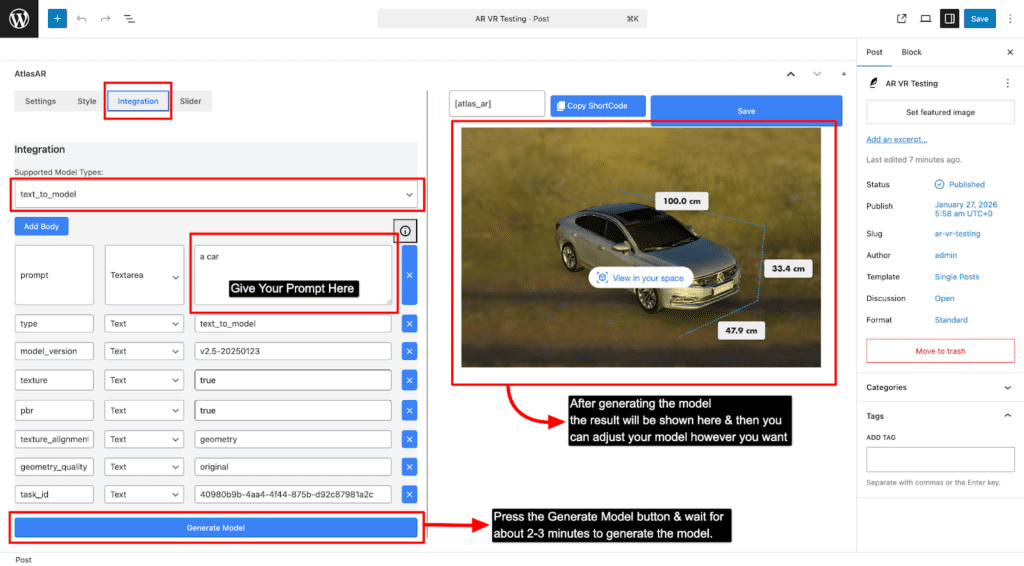
- Firstly, select to the Integration menu
- Select your model type
- Then give your desired prompt to generate model
- And save it