
Description
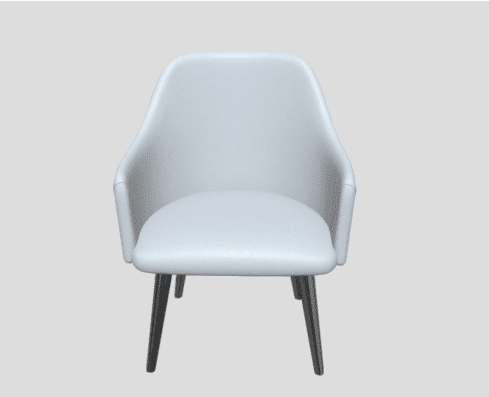
Some stores want their photos to lead and the 3D model to follow. This dining armchair demo adds the 3D view as one more slide in the WooCommerce gallery, right next to the product photos.
What this demo shows
- 3D as a gallery slide: the model appears beside the photos, with its own thumbnail.
- Familiar gallery: zoom, lightbox and thumbnails keep working.
- AR at real size: see the chair at your dining table.
How to try it
- On iPhone or iPad: tap View in your room, and AR Quick Look places the model on your floor or wall.
- On Android: tap the same button, and Google Scene Viewer opens the model in AR.
- On a computer: drag to turn the model, scroll to zoom, and scan the View on your phone QR code to continue in AR.
Set it up on your WooCommerce store
Add the GLB model and set the display mode to a gallery slide. AtlasAR adds the 3D slide and its thumbnail automatically.
This works in the free AtlasAR plugin. Download it free from WordPress.org. Need help? Read the AtlasAR documentation.
This is a demo product. It is not for sale.
Reviews
There are no reviews yet.