
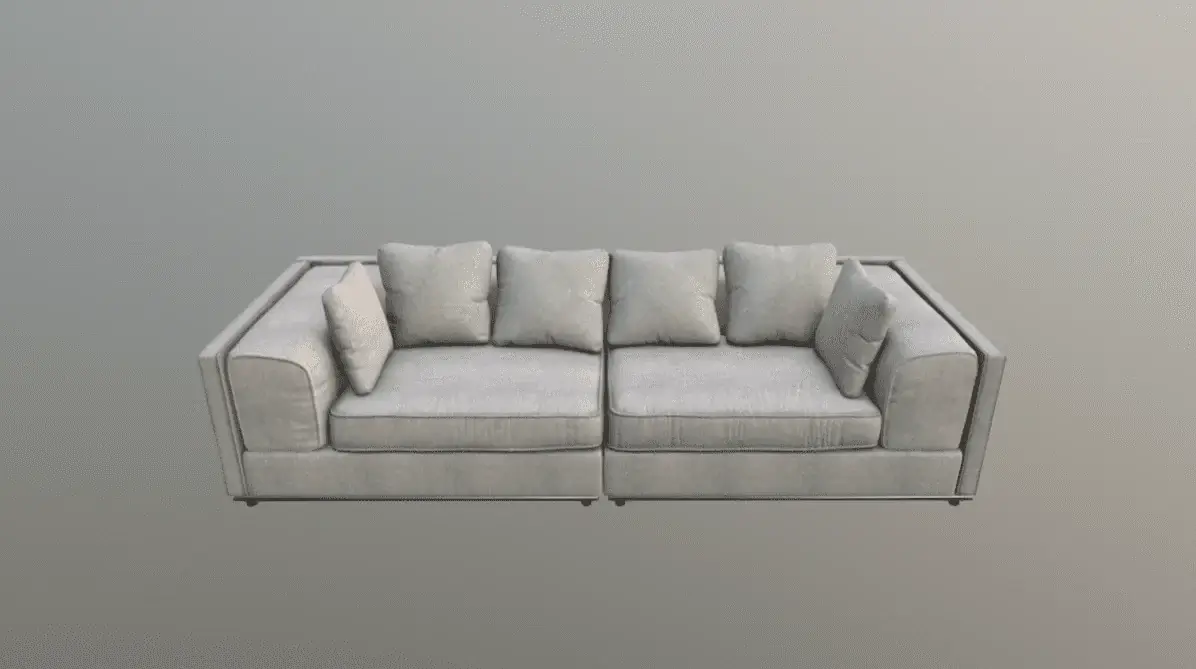
This sofa is a demo product powered by the free AtlasAR – 3D Model Viewer & Augmented Reality plugin.
Install the plugin on your own WordPress site and let customers view your products in 3D and Augmented Reality (AR).
What You’re Seeing on This Page
This Modern Sofa product showcases how AtlasAR lets shoppers rotate, zoom and
view products in AR directly from a WooCommerce product page. Your customers can place sofas and other items in
their real room using their phone, before they buy.
Use this same plugin to create AR experiences for furniture, decor, fashion, appliances and more.
Add the Same AR Experience to Your Store
- Show products in an interactive 3D viewer with 360° rotation and zoom.
- Let customers view products in AR on both Android and iOS — no app required.
- Native WooCommerce integration: AR button appears directly on product pages.
- Upload unlimited 3D models in
.glb,.gltfand.usdzformats. - Use the
atlas_arshortcode to embed viewers anywhere on your site. - Performance-friendly: async loading and lazy loading for fast product pages.
How to Add AR Sofas to Your Own WordPress Store
- In your WordPress dashboard, go to Plugins → Add New and search for “3D Viewer – 3D Model Viewer – Augmented Reality”.
- Install and activate the AtlasAR plugin.
- Open a WooCommerce product and find the AtlasAR settings/metabox.
- Upload your 3D model files (
.glb/.gltffor 3D view and.usdzfor iOS AR). - Save the product — the “View in AR” and 3D viewer will automatically appear on the product page.
You can repeat this for as many products as you want — the free version of AtlasAR supports unlimited 3D models.
Get Started With AtlasAR Today
Turn regular WooCommerce products into immersive AR experiences like this sofa demo.
Install AtlasAR in minutes and start showcasing your products in 3D and Augmented Reality.
✅ Download AtlasAR from WordPress.org
📖 Learn More About AtlasAR