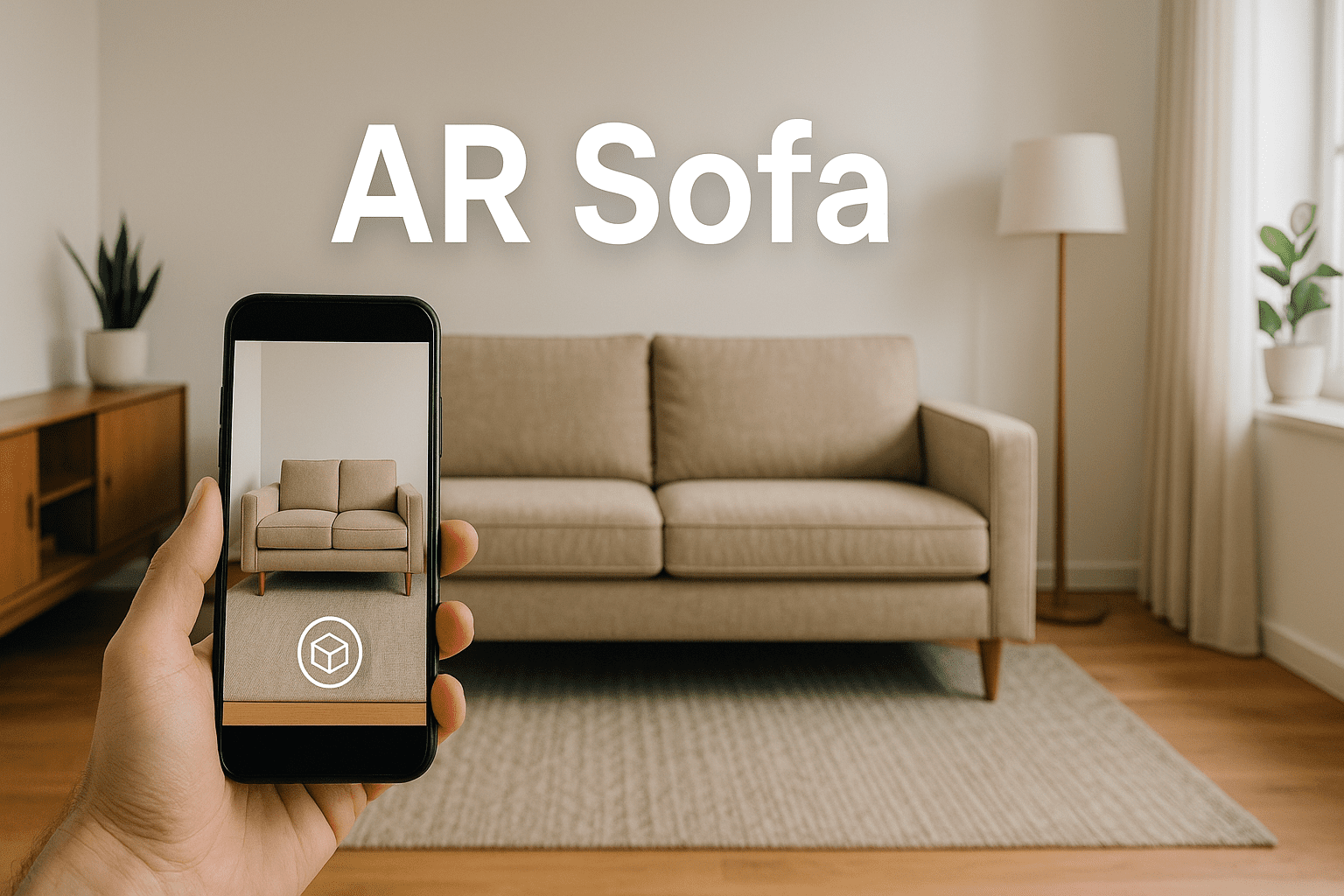


Selling furniture online has always come with one frustrating challenge: customers cannot tell whether a piece will actually fit their space or match their decor. That uncertainty leads to hesitation, abandoned carts, and costly returns. AR chairs — furniture products enhanced with augmented reality viewing — are changing that dynamic entirely. With the right AR furniture plugin for WooCommerce, your store can let shoppers place a virtual chair in their living room before clicking “Add to Cart.”
This guide walks you through everything you need to know about adding augmented reality furniture to your WordPress store using AtlasAR — from understanding what AR chairs are, to a step-by-step setup tutorial, live demo links, Pro features, and a fair comparison of competing plugins.
The Numbers: How AR Impacts Furniture Sales
Before diving into the how, it is worth understanding the why. The data on AR in e-commerce is compelling, and the furniture category benefits more than almost any other vertical.
- 94% higher conversion rates — Shopify found that products with 3D and AR experiences converted at nearly twice the rate of those with standard photos alone.
- 40% fewer returns — When customers can visualize a product accurately in their own space, buying decisions become more confident and returns drop significantly.
- 2.7x longer on-page time — Shoppers spend dramatically more time engaging with product pages that include an interactive 3D viewer.
- 61% of shoppers prefer AR-enabled stores — In competitive furniture markets, offering augmented reality furniture viewing is increasingly an expectation, not a novelty.
These numbers reflect a fundamental shift in how online shoppers evaluate large purchases. A chair is not an impulse buy. AR removes the single biggest objection — “I am not sure it will look right” — and replaces it with confidence.
What Is an AR Chair?
An AR chair is any chair product listing that includes an augmented reality viewer, allowing shoppers to project a true-to-scale 3D model of the chair into their physical environment using a smartphone or tablet camera. Rather than guessing from flat photographs whether a dining chair will match existing furniture or fit under a specific table height, the customer holds up their phone and sees the chair sitting on their actual floor.
The experience is powered by two platform standards: ARKit on Apple devices and ARCore on Android. Both are built into modern operating systems, so no app download is required. When a shopper taps the AR button on your WooCommerce product page, their browser launches the AR session instantly.
The 3D model itself is typically stored as a GLB file (for Android and web display) and a USDZ file (for iOS AR). AtlasAR handles both formats and serves the correct one automatically based on the visitor’s device.
Why Furniture Stores Should Use AR for Chairs
Furniture is among the highest-stakes categories in e-commerce. Items are expensive, bulky to ship, and difficult to return. Shoppers are deeply concerned about three questions before purchasing a chair online:
- Will it fit? — Size and scale are nearly impossible to judge from product photos alone, even with dimensions listed.
- Will it match? — Color rendering varies across screens, and matching fabric or wood tones to existing decor requires judgment that photos cannot reliably support.
- Will it look right in my space? — Style and proportion are deeply contextual. A chair that looks elegant in a studio photo may feel oversized or out of place in a cozy apartment.
AR answers all three questions in a single interaction. A shopper places the virtual chair in their actual room, walks around it, views it from different angles, and makes a decision grounded in real-world context. That confidence translates directly to higher conversion rates and fewer post-purchase regrets.
Try It Yourself: Live AR Chair Demo
The fastest way to understand what your customers will experience is to try it directly. Visit the AtlasAR demo shop and open the office chair product page:
Live Demo: Office Chair in Augmented Reality
Here is what you will see on that page:
- Interactive 3D viewer — An embedded model-viewer that lets you rotate, zoom, and inspect the chair from any angle directly in the browser.
- AR button (mobile only) — On Android or iOS, a prominent “View in your space” button launches the native AR experience. The chair appears at true scale on your floor.
- Seamless WooCommerce integration — The AR viewer sits inside the standard WooCommerce product layout, alongside price, variations, and Add to Cart.
You can also explore a sofa demo and a wall art demo to see how different product types are handled. Browse the full AtlasAR demo shop for more examples.
Floor AR vs Wall AR: Which Is Right for Your Products?
Not all AR experiences are the same. There are two primary placement modes in augmented reality, and choosing the correct one for each product category makes a significant difference in usability.
Floor AR — Best for Furniture and Large Items
Floor AR anchors the 3D model to a detected horizontal surface — typically the floor. This is the correct mode for:
- Chairs, sofas, and armchairs
- Dining tables and coffee tables
- Bedroom furniture and wardrobes
- Appliances such as refrigerators or washing machines
- Large decorative items like rugs or floor lamps
For AR chairs specifically, floor placement is essential. Shoppers need to see the chair sitting on their actual floor at the correct height.
Wall AR — Best for Decor and Mounted Items
Wall AR anchors the model to a detected vertical surface. This is the correct mode for:
- Paintings and wall art
- Mirrors
- Clocks and wall-mounted shelving
- Televisions and monitors
AtlasAR supports both floor AR and wall AR modes, configurable per product directly in the WooCommerce metabox.
AtlasAR Plugin Features
AtlasAR is a free WordPress plugin available on WordPress.org that adds a full-featured 3D and AR viewer to any WooCommerce product.
- AR on iOS and Android — Full ARKit and ARCore support at no cost.
- Unlimited 3D models — Upload as many GLB and USDZ files as your catalog requires.
- WooCommerce native integration — The viewer appears automatically on product pages.
- AI 3D model generation (free) — Built-in Tripo3D integration lets you generate a 3D model from a text description.
- Lazy loading — 3D models load only when the viewer enters the viewport.
- Floor and wall AR modes — Set the correct placement mode per product.
- Gutenberg block support — Embed the 3D viewer anywhere in your content.
AtlasAR Pro Features for Furniture Stores
The free version covers most use cases well, but furniture stores benefit particularly from several AtlasAR Pro features.
Product Dimensions Display
The single most common pre-purchase question for furniture is “will it fit?” AtlasAR Pro can display real product dimensions — width, depth, and height — directly within the 3D viewer interface.
Interactive Hotspots
Hotspots are clickable annotation points placed on the 3D model. For a chair, you might add hotspots that reveal fabric composition details, care instructions, or frame material specifications.
Per-Variation 3D Models
If you sell chairs in multiple colors or fabric options, AtlasAR Pro lets you assign a distinct 3D model to each WooCommerce variation. When a shopper selects “Navy Blue Fabric” from the dropdown, the 3D viewer automatically updates.
Auto Model Compression
High-quality furniture 3D models can be large — sometimes 20MB or more. AtlasAR Pro’s automatic compression pipeline uses Draco geometry compression and Basis Universal texture compression to reduce file sizes dramatically without visible quality loss.
See full feature details and pricing at the AtlasAR pricing page.
How to Add an AR Chair to Your WooCommerce Store
Step 1 — Install AtlasAR
From your WordPress dashboard, go to Plugins > Add New and search for “AtlasAR.” Install and activate the plugin. Alternatively, download it directly from WordPress.org.
Step 2 — Obtain or Generate a 3D Model
You need a GLB file for the 3D viewer and AR on Android, and a USDZ file for iOS AR. If you do not have existing 3D assets, use the built-in Tripo3D AI integration: type a description like “modern ergonomic office chair, gray mesh” and the AI generates a downloadable 3D model within minutes.
Step 3 — Open the Product Editor
Navigate to your chair product in Products > All Products and open the editor. You will find a new AtlasAR metabox in the sidebar.
Step 4 — Upload Your 3D Model Files
In the AtlasAR metabox, upload and attach your GLB file and USDZ file. Set the AR placement mode to Floor for chairs. Configure viewer options such as auto-rotate, camera controls, and background color.
Step 5 — Publish and Test
Save the product. On the frontend, the 3D viewer will appear automatically. On a mobile device, tap the AR button to launch the augmented reality experience and see the chair placed in your real environment.
Real-Life Use Cases
Office furniture retailers use AR chairs to help remote workers visualize how an ergonomic desk chair will look and fit in their home office setup.
Dining room furniture stores let customers place a set of dining chairs around their existing table to check proportions and style compatibility.
Boutique accent furniture shops use the Tripo3D AI integration to generate 3D models from product photography, enabling them to offer AR on their entire catalog without a dedicated 3D artist.
Multi-category home decor stores combine floor AR for furniture with wall AR for mirrors and paintings. See the AR sofa guide for a detailed look at how this works for seating beyond chairs, or the 3D model WordPress plugin overview for the broader context.
Competitor Comparison
Several AR and 3D viewer plugins exist for WordPress and WooCommerce. Here is an accurate feature comparison based on current plugin capabilities.
| Feature | AtlasAR | 3D Viewer (bPlugins) | AR for WordPress | Visody |
|---|---|---|---|---|
| Free AR Support | Yes (iOS + Android) | Pro only | Yes (1 model) | Android only (free) |
| WooCommerce Native | Yes | Yes | Separate plugin | Yes |
| Unlimited Free Models | Yes | Yes | No (1 model free) | Yes |
| AI 3D Generation | Yes (free) | No | Pro only | No |
| Model Compression | Pro | No | No | No |
| Product Dimensions | Pro | No | No | No |
| Pricing | Free / $49.99/yr | Free / Paid | Free / $200/yr | Free / $29.99/yr |
Best Practices for AR Furniture Listings
- Use accurate scale in your 3D models. If the model dimensions do not match the real product, the AR experience erodes trust rather than building it.
- Optimize model file sizes. Target under 10MB for GLB files. Use AtlasAR Pro’s compression for larger models.
- Promote AR availability visibly. Add a badge or callout near the product title indicating “View in AR.”
- Test on real devices. Always test the AR experience on both an Android and an iOS device before publishing.
- Use neutral viewer backgrounds. A white or transparent background keeps focus on the product.
- Pair AR with clear dimension information. Use AtlasAR Pro’s dimensions feature or ensure your product description includes precise measurements.
Frequently Asked Questions
An AR chair is a WooCommerce product listing that includes an augmented reality viewer, allowing shoppers to project a true-to-scale 3D model of the chair into their real environment using their smartphone camera. AtlasAR handles this by embedding Google’s model-viewer web component in the product page, which automatically activates the device’s ARKit (iOS) or ARCore (Android) system when the AR button is tapped — no app download required.
AtlasAR integrates with the standard WooCommerce product image area and works with the majority of WooCommerce-compatible themes including Flatsome, Astra, Storefront, OceanWP, and GeneratePress. For highly customized themes, the shortcode or Gutenberg block can be used to place the viewer anywhere on the page.
Yes. The free version includes full AR support on both iOS and Android, unlimited 3D model uploads, WooCommerce integration, and AI-powered 3D model generation via Tripo3D. Pro features such as product dimensions, interactive hotspots, per-variation models, and auto compression are available at $49.99 per year.
Not necessarily. AtlasAR includes a built-in integration with Tripo3D, an AI-powered 3D generation service. You can type a product description and the AI will generate a downloadable 3D model within minutes. For large catalogs or high-end products where precise accuracy is critical, commissioning a professional 3D model is recommended — but the AI route is sufficient for many furniture retailers.
The 3D viewer (rotation, zoom, inspection) works in any modern browser on any device. The AR experience specifically requires Android 9 or later with ARCore support, or iOS 12 or later with ARKit support. On unsupported devices, the AR button is hidden automatically and the standard 3D viewer remains available.
GLB is the recommended format for Android AR and web-based 3D viewing. USDZ is required for iOS AR (ARKit) and is Apple’s preferred format for AR Quick Look. AtlasAR accepts both formats and automatically serves the correct file to each device type.
Yes, with AtlasAR Pro. The dimensions feature displays real-world measurements — width, height, and depth — directly within the 3D viewer interface. This addresses the most common furniture buying concern (“will it fit?”) without requiring the shopper to leave the viewer.
No. AtlasAR is designed for WooCommerce store owners, not 3D artists. The plugin interface is entirely point-and-click: upload a model file, configure viewer settings, and save. If you do not have existing 3D model files, the Tripo3D AI integration generates them from text descriptions.
AR works on Android 9+ devices with ARCore installed, and on iOS 12+ devices (iPhone 6s and later). These thresholds cover the large majority of smartphones currently in use worldwide.
Yes, with AtlasAR Pro. The per-variation 3D model feature allows you to assign a distinct GLB and USDZ file to each WooCommerce product variation. When a shopper selects a specific color or fabric option, the 3D viewer updates instantly to display the corresponding model.
Start Selling Furniture with Augmented Reality Today
The gap between browsing online and buying confidently is smaller than ever for furniture retailers who use AR. AR chairs convert browsers into buyers by resolving the core uncertainties of furniture e-commerce — fit, scale, and style compatibility.
AtlasAR gives you everything you need to get started at no cost, with a clear upgrade path as your catalog grows. The free plugin includes full augmented reality furniture support on both major mobile platforms, unlimited models, and AI generation.